Brick or Bargain: Vetting a Second-Hand Phone Before the Cash Leaves Your Hand
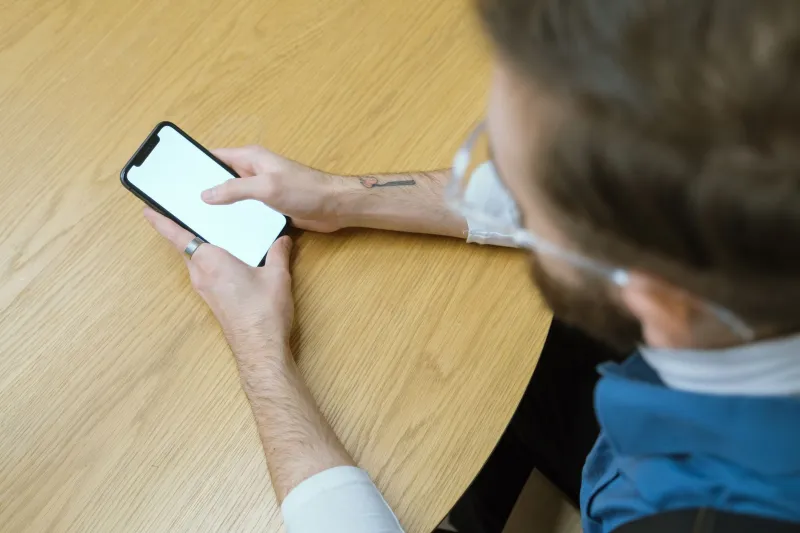
There's a particular kind of optimism that comes over a person when they see an iPhone 15 Pro advertised for £280 on a local buy-and-sell group. It's the same optimism that has you agreeing to meet a stranger behind a retail park at 8pm on a Tuesday. Sometimes it works out beautifully. Sometimes you get home, put your SIM in, and discover the thing is barred, locked to a network you've never heard of, or still tethered to someone else's Apple account.
None of that is unavoidable. A used phone is one of the few second-hand purchases where the seller's claims can be independently verified in minutes — if you know which buttons to press. So here's the routine. Do it before any money moves, not after.
Start with the number that follows the phone
Every handset has an IMEI — a 15-digit identity number, effectively the phone's chassis number. Dial *#06# on the handset and it'll appear on screen. Then check that it matches what's printed on the original box, and what's listed in Settings (on iPhone it's under General > About; on Android it's usually About Phone > Status).
Three matching numbers is a good sign. A mismatch is a serious red flag — it can indicate a swapped motherboard, a refurbished unit sold as new, or worse.
Next, run that IMEI through a checking service. CheckMEND is the best-known in the UK and costs a few pounds; it reports whether a device has been reported lost or stolen, whether it's been blocked by a network, and whether it's still on a finance agreement. Some networks will also check an IMEI for you if you ring customer services. It's a small outlay for the difference between a working phone and a very sleek doorstop.
One caveat worth knowing: a phone reported stolen and blocked on the UK networks won't connect to any of them, no matter what SIM you put in. That's not a fixable fault. Walk away.
Is it still chained to a network?
Network-locked handsets used to be the norm — buy a cheap contract phone, and it would only accept SIMs from that provider. Ofcom has pushed the industry towards selling handsets unlocked, and most new phones sold in the UK now are. But older devices, and some second-hand stock, are still tied.
The quick test is embarrassingly simple: bring your own SIM, put it in, and see if it connects. If you're shopping remotely, ask the seller to text INFO to 85075 — a free Ofcom-backed service that replies with whether the handset is locked and what it would cost to unlock it.
If it is locked, unlocking is usually free or cheap through the original network, but it takes time and you'll need the original account holder to request it. Don't accept "you can just get it unlocked, mate" as an answer unless you're happy to do the chasing yourself.
The account lock that turns a bargain into a brick
This is the one that catches most people, and it's the reason a perfectly good phone can be worth nothing at all.
Apple's Activation Lock and Google's Factory Reset Protection both tie a handset to the account that last used it. If the previous owner hasn't properly signed out, the phone will demand their credentials the moment it's wiped — and no amount of pleading will get past it. Only the original account holder can remove it.
So make the seller do the signing-out in front of you.
- iPhone: Settings > [their name] > Find My > Find My iPhone — turn it off, then sign out of Apple Account entirely. Only then should the phone be erased.
- Android: Settings > Passwords & accounts — remove the Google account. Then factory reset.
If they can't or won't, that's your answer. No amount of discount makes an activation-locked phone useful.
Battery: demand the honest number
iPhones make this easy. Settings > Battery > Battery Health & Charging shows a maximum capacity percentage, and on newer models a cycle count too. Anything below 80% means you're looking at a replacement battery before long — typically £60 to £90 fitted at a reputable independent shop, more at Apple.
Android is more of a patchwork. Some manufacturers expose battery health in Settings; others hide it entirely. Third-party apps like AccuBattery can give you a rough estimate after a few charge cycles, but they can't read the raw data the way iOS does. If you can't establish the health, price the phone as though the battery needs replacing.
The ten-minute once-over
Once the paperwork checks out, run the hardware. It's dull, and it takes ten minutes, but it's the difference between a good deal and a series of small annoyances.
- Screen: look for dead pixels, burn-in (especially on OLED panels), and any ghosting. On iPhone, Settings > General > About > Parts and Service History will tell you if the screen or battery has been replaced with a non-genuine part.
- Cameras: every lens, front and back, in good light and bad. Check the torch too.
- Buttons and ports: volume, power, mute switch if it has one. Plug in a charger and wiggle it.
- Biometrics: Face ID and fingerprint sensors are expensive to repair and often the first thing to fail after a drop.
- Connectivity: Wi-Fi, Bluetooth, mobile data, speaker, microphone (record a voice note and play it back).
- Body: look for signs of a bend, a swollen back panel, or water damage indicators — many phones have a small strip inside the SIM tray that turns red when wet.
Shop or stranger? Your rights change entirely
This is where the UK rules diverge sharply, and it's worth being blunt about it.
Buy from a trader — a High Street shop, a refurbisher like CeX or Back Market, a market stall — and the Consumer Rights Act 2015 applies. Goods must be as described, of satisfactory quality, and fit for purpose. If the phone is faulty, you have a 30-day short-term right to reject it and get a full refund. After that, you get one repair or replacement, and after six months the burden of proof sits with you. Buy online from a trader and you also get a 14-day cooling-off period under the distance selling rules.
Buy from a private seller — Facebook Marketplace, Gumtree, a bloke in a pub car park — and it's caveat emptor. The Consumer Rights Act doesn't apply. What does still apply is the basic law against misrepresentation: if they told you it was unlocked and it wasn't, or claimed it was theirs to sell and it wasn't, you have a legal argument. In practice, enforcing it against someone who's stopped replying to messages is more hassle than most people can stomach.
Which is why the checks matter more in a private sale, not less.
Before the money moves
A few practical habits worth adopting:
- Meet in daylight, in public. Some police stations offer designated safe-exchange zones — worth a look.
- Pay by card or PayPal Goods & Services if you possibly can. Bank transfer is effectively cash: once it's gone, it's gone.
- Get the key facts in writing. A message confirming the IMEI, that it's unlocked, and that all accounts have been removed is worth more than you'd think if things go wrong.
- Ask for the original receipt if they have one. It's not essential, but it tells you where the phone came from.
- Check your home insurance. Many UK contents policies will cover a phone away from home, but only if it was bought legitimately and you can prove it.
The short version
Check the IMEI, check the network lock, check the account lock, check the battery, and check the hardware — in that order. If any of those checks fails, walk. There will be another phone along in a day or two, and the one you don't buy is always the one that causes the least grief.