The Bars Are Not the Internet: A Sceptic's Guide to Phantom Phone Signal
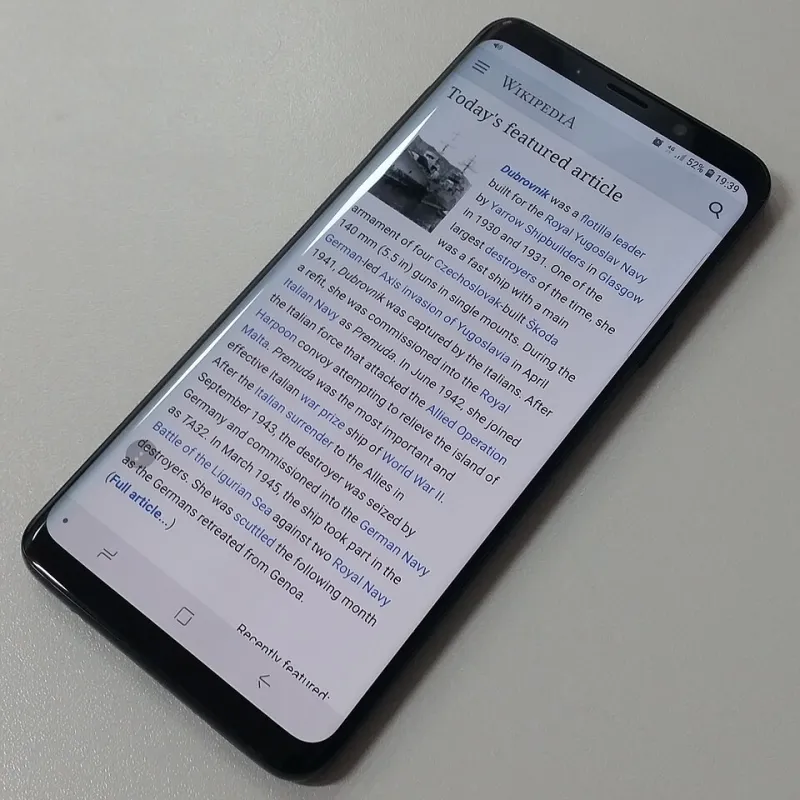
Photo: Skorp24, CC BY-SA 4.0, via Wikimedia Commons
You're on a street corner in Sheffield, or in a beer garden somewhere in Kent, and your phone is showing four bars. Maybe five. There's a 5G badge in the corner looking pleased with itself. You open a maps app and get a grey spinning circle. You try again. Still nothing. Then a message lands four minutes late saying it couldn't load.
Nothing is broken, exactly. What you're looking at is a small piece of theatre. The bars on your phone are a report on how loudly it can hear the nearest mast — not a promise that the mast is listening back, and certainly not a promise that anyone at the other end has the capacity to answer. This guide is about that gap, and the practical things you can do about it.
What the bars are actually measuring
Your phone is constantly taking readings from nearby cells. The main one is signal strength: how much power is arriving from the mast. Engineers call it RSRP, but think of it as how loudly someone is speaking to you from across a room. The bars translate that into a friendly little staircase of confidence.
What the bars do not show is signal quality. If three other people are shouting at the same time, the loud voice is still loud — you just can't pick out the words. That's roughly what interference and congestion do to a mobile connection. Full bars, no comprehension.
So a phone showing five bars is telling you the conversation is audible. It is not telling you the conversation is going anywhere useful.
The motorway-at-five problem
A mobile mast is a shared resource, a bit like a motorway. At 3am, four lanes and nobody about. At 5pm on a Friday, the same four lanes and everybody stationary. The road hasn't shrunk. The bars haven't changed. The experience has.
This is why your phone works beautifully in the same spot on a Tuesday morning and collapses at school pick-up. It's also why seaside towns turn feral in August, why stadiums and festival fields are a write-off, and why the train station at 8:15 is a data black hole even with a proud full set of bars.
If your problem is congestion rather than coverage, moving three feet to the left won't help. Waiting will.
The 5G badge that means less than you think
For most UK networks, the 5G you see on your phone is 'non-standalone' — it uses a 4G mast as the anchor and adds a 5G layer on top for extra capacity. That's a perfectly good technology, but it means the icon can appear in places where the actual 5G benefit is thin, or where the network is busy and the extra layer is doing very little.
In other words: the badge is a marketing decision as much as a technical one. Chasing the icon around the house is a waste of an afternoon. Chasing a working connection is not.
The unglamorous culprits hiding behind the bars
Before you blame the network, rule out the boring stuff. A few things can leave you with perfect signal and no internet:
- A captive portal. Hotel, café and gym Wi-Fi that needs a login page will sit there looking connected while nothing moves. So will a public Wi-Fi you joined months ago and have since drifted away from.
- A private DNS or filtering service. If you've set a custom DNS on Android, or you're running a VPN or a content blocker, a misbehaving one can strangle browsing while the mobile signal stays pristine.
- A stale APN. After a SIM swap or a number port, the settings that tell your phone how to reach the network can go stale. You'll see bars, and nothing else.
- A wrong date and time. Boring, but it breaks secure connections and produces exactly this symptom.
Four tests worth doing before you ring anyone
Run a speed and ping test. Not just the download number — look at the ping. A high ping with a decent download figure is the signature of a congested or distant mast.
Borrow a phone. Try a second handset on the same network in the same spot. If it's also stuck, it's the network. If it works, it's your phone, your SIM, or your settings.
Toggle airplane mode, then force 4G. Airplane mode for ten seconds forces the phone to reattach to the best cell rather than clinging to a tired one. If your handset allows it, try switching 5G off and running on 4G only — a stable 4G link often beats a flaky 5G one.
Check the map, not the bars. Ofcom's mobile coverage checker and the various mast-finder sites will show you where the transmitters actually are. Just remember these are outdoor predictions. Your kitchen, with its lovely thick walls and foil-backed plasterboard, did not feature in the model.
Fixes that genuinely help
Turn on Wi-Fi calling if your network and handset support it. It routes calls and texts over your broadband when the mobile signal is weak, and it's the single most useful setting on this list for anyone in a rural or thick-walled home.
If you're on the edge, put the phone near a window, upstairs, or in the loft. It sounds like folk wisdom; it's just physics.
If your SIM is years old, ask for a replacement. Ancient SIMs can struggle with newer network features, and the swap is usually free.
And if a specific area is consistently useless, report it. Networks log these reports, and enough of them can shift an engineer's priorities. Keep a short note of dates, times and postcodes — it makes the difference between a moan and a case.
When the bars are fine and the fault is elsewhere
One last check: if pages fail in one app but work in another, the problem is the app. If your phone's storage is full, background processes get starved and everything feels like a network fault. Restart the phone. It's the oldest advice in the book because it works more often than it should.
The short version
The bars tell you the mast is audible. They don't tell you the road is clear. If you want to know whether you actually have internet, test the ping, borrow a second phone, force 4G, and check the map rather than the icon.
And if it turns out the problem is congestion in your area rather than anything you can fix, note the times, keep the evidence, and use it when you next talk to your provider. Full bars are a feeling. A working connection is a fact.